| Directory Command | Description |
| pwd | The pwd command stands for (print working directory). It displays the current working location or directory of the user. It displays the whole working path starting with /. It is a built-in command. |
| ls | The ls command is used to show the list of a folder. It will list out all the files in the directed folder. |
| cd | The cd command stands for (change directory). It is used to change to the directory you want to work from the present directory. |
| mkdir | With mkdir command you can create your own directory. |
| rmdir | The rmdir command is used to remove a directory from your system. |
Examples-
- pwd

- ls

ls -a list all files including hidden file starting with ‘.’
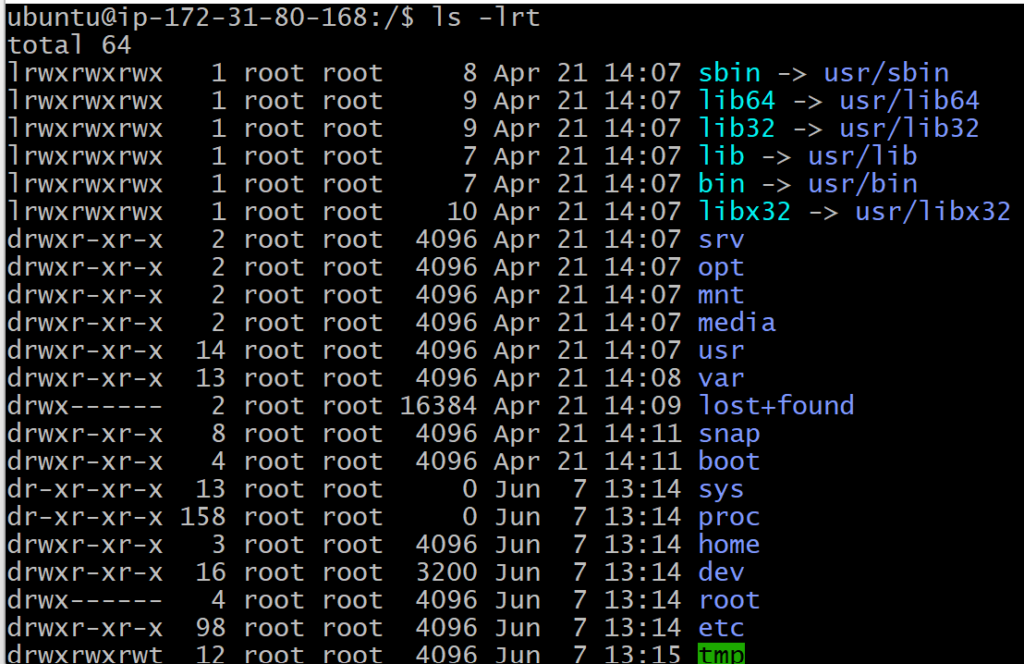
ls -lrt -l list with long format – show permissions
-r list in reverse order
-t sort by time & date
cd ~ Change to home directory

cd / Change to root directory

cd .. Change to parent directory

cd folder Change to subdirectory var

mkdir – Stands for ‘make directory’. With the help of mkdir command, you can create a new directory wherever you want in your system.

rmdir remove files
