
The Boards service in Azure DevOps is the management hub of the project. Boards can be used to plan, track, and collaborate between team members.
Azure Boards provides software development teams with the interactive and customizable tools they need to manage their software projects. It provides a rich set of capabilities including native support for Agile, Scrum, and Kanban processes, calendar views, configurable dashboards, and integrated reporting.
- Why do we use Azure boards?
- Visual, Interactive Tool
Azure Boards is the interface that helps you track the tasks, bugs, and features within your software project. It allows you to track all of your ideas in every development stage to keep your team aligned with all the necessary code changes that are linked to your work operations.
- Easy to Customize
Kanban boards, task boards, and delivery plans are easy to configure and customize through the user interface.
For example, with Kanban boards, you can configure columns, swim lanes, card styles, fields shown on cards, and more. You can configure them all through a common configuration dialog.
- Define area paths and iteration paths to group work items by product or feature, You also can group work items into sprints, milestones, or other time-related periods.
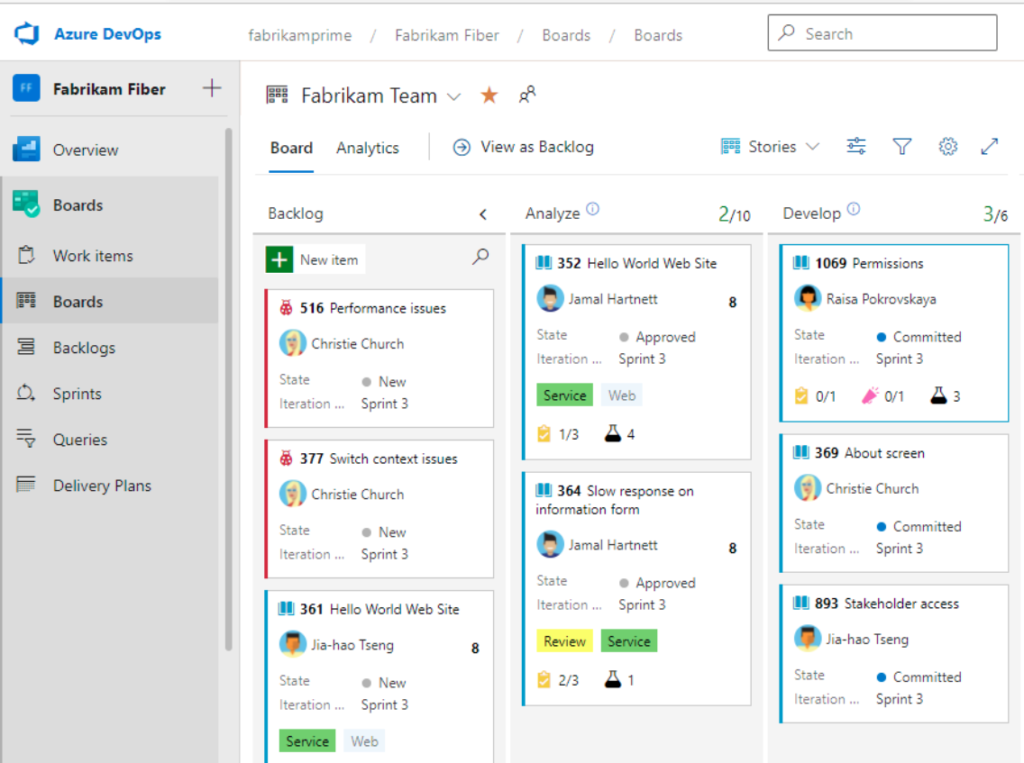
- Monitor status and progress with built-in dashboards and analytics
Backlogs display work items as a list and boards display them as cards.
You use your product backlog to quickly plan and prioritize your work.
You use your sprint backlogs and task boards when you work in Scrum.
You use your Kanban board to update work status and when you employ Kanban methods.
Each backlog is associated with a board, changes to priority order you make in one are reflected in its corresponding board.
Plans allow you to review the deliverables for several teams across sprints and a calendar schedule
Backlogs, boards, and plans are configurable for each team.
Sprints:
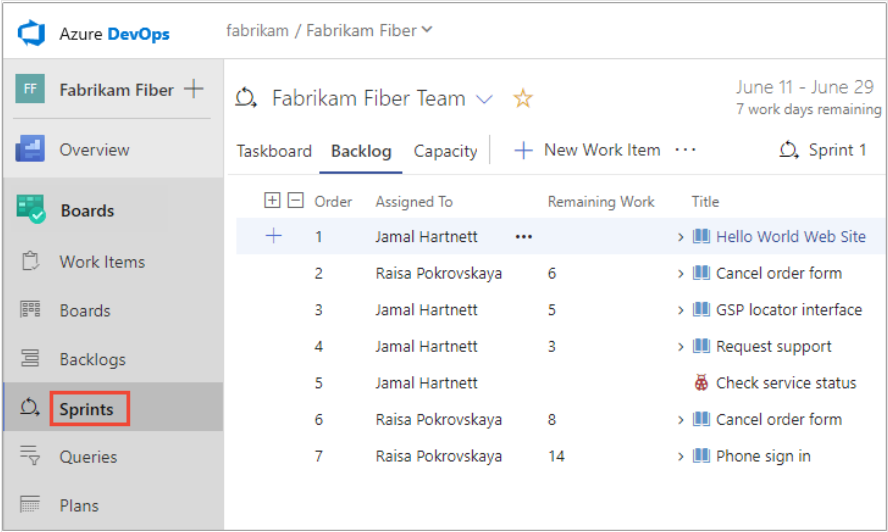
Sprint backlogs and task boards provide a filtered view of work items a team has assigned to a specific iteration path, or sprint. Sprints are defined for a project and then selected by teams. From your backlog, you can map work to an iteration path using drag-and-drop, and then view that work in a separate sprint backlog.
Backlog:
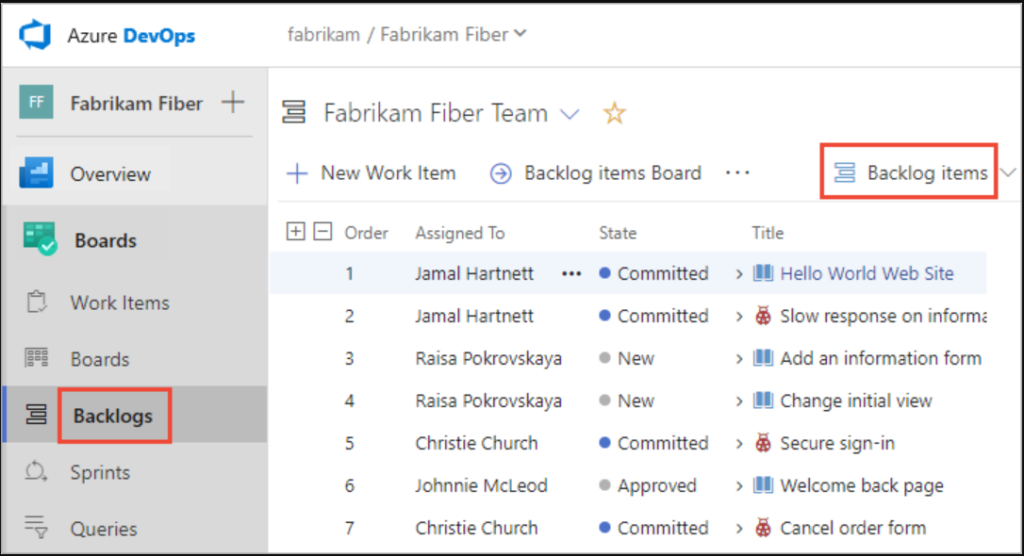
With Backlogs, you can quickly plan your project by adding user stories or requirements to your product backlog. Once you have your plan in place, you can start driving code development efforts.
Azure backlog consists of a list of work items. You use work items to share information, assign work to team members, track dependencies, organize work, and more. Because the most important work appears at the top of the list, your team always knows what to work on next.
- To change sprint dates follow the link.
